Upgrade kits
An upgrade kit raises a placed Flux Plug or Point to the next tier where it stands, without breaking it or taking it off the network.
| Kit | Upgrades | To |
|---|---|---|
| Herculean Upgrade Kit | Flux Plug, Flux Point (Flux Networks' basic ones) | Herculean |
| Gargantuan Upgrade Kit | Herculean Flux Plug, Herculean Flux Point | Gargantuan |
| Ultimate Upgrade Kit | Gargantuan Flux Plug, Gargantuan Flux Point | Ultimate |
Using a kit
Hold the kit and right-click the placed device. It becomes the next tier with a smithing sound and the message Upgraded to …, and one kit is used (none in creative mode).
The upgraded device keeps everything: its network, owner, name, priority, transfer limit, Power Surge, buffer, side connections and chunk loading.
A kit only works one tier at a time: going from basic to Ultimate takes the three kits in order. On a device of another tier, nothing changes and a message says which tier the kit needs:
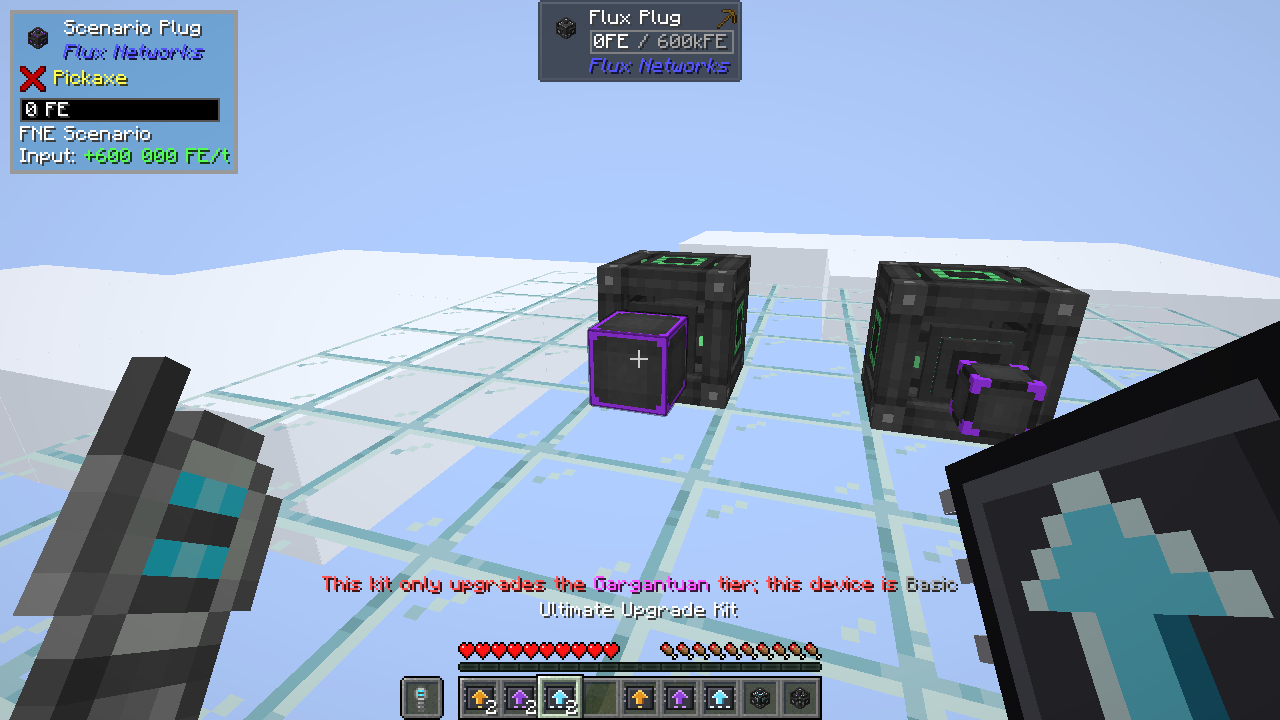
You need access to the device, as for opening its GUI: on someone else's private network, the kit answers Access denied: No permission.
Recipes
A kit costs the same ring of materials as the device recipe, with the centre left empty:
| Kit | 4 sides | 4 corners |
|---|---|---|
| Herculean Upgrade Kit | Flux Core | Diamond |
| Gargantuan Upgrade Kit | Flux Block | Netherite Ingot |
| Ultimate Upgrade Kit | Herculean Flux Storage | Nether Star |
With Mekanism installed, kits use Mekanism's materials, like the devices.